Mall Scavenger Hunt Ideas: 40+ Games & Activities for Shoppers
Discover 40+ mall scavenger hunt ideas for families, friends, and teams, plus a ready Mall Hunt template on Seeker Hunts. Host from a phone browser. No app. Players join at seekr.it.
Mall Scavenger Hunt Ideas: 40+ Games & Activities for Shoppers
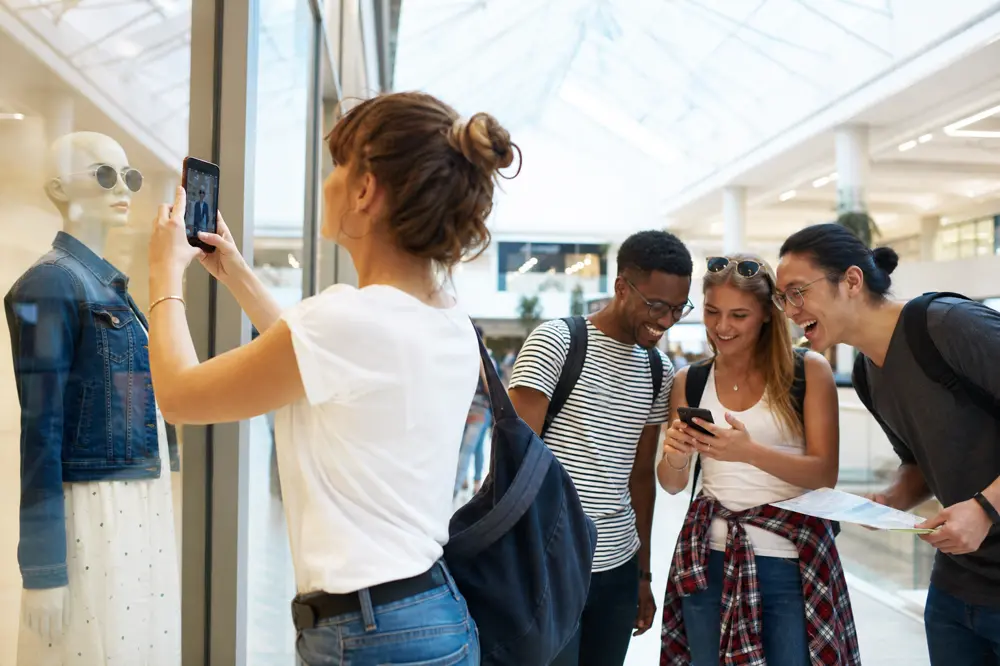
A mall trip gets boring fast when everyone is just walking. A mall scavenger hunt turns the same stores into a game: find a sale sign, snap a mannequin, doodle a logo, then chase the next find before the parking meter runs out.
In this guide, you'll get 40+ mall scavenger hunt ideas for families, friend groups, and team outings, plus a ready Seeker template you can host in one tap. No app download. Players join at seekr.it.
Start with the Mall Hunt template
Want to try Seeker without building a list from scratch? Host the free Mall Hunt template.
It already has finds like a couch, a mannequin with sunglasses, a sale sign, a water fountain, a bench, a massage chair, and a price tag under $5. Click Host Hunt, share the code, and people open seekr.it on their phones. No app. No player signup.
You can run that list as-is for a 45–60 minute loop, or copy the vibe into a custom hunt below. Either way, the template is the fastest way onto the platform.
What Is a Mall Scavenger Hunt?
A mall scavenger hunt is a timed list of finds inside a shopping center. Players look for everyday stuff (a neon sign, a stuffed animal, an elevator), take a photo, type a short answer, or tap a button when they arrive. That is different from a treasure hunt, which is usually a trail of hidden clues and a prize. A scavenger hunt is a list. A treasure hunt is a trail.
Family and party planners have used malls for this for years because the building does the setup work. Great Wolf Lodge calls out the same reasons: indoor space, hard to cancel for weather, and you can keep costs near zero if photos replace purchases. Printable lists from sites like Play Learn Inspire and LovingHomeschool make the same point for kids: the mall already has the objects.
Kids' hunts lean on colors. Adult mall hunts lean on stores you already walk past. Paper lists get lost in a food-court tray. A phone hunt keeps the list, the photos, and the leaderboard in one place.
Typical format
Duration: 45–75 minutes
Area: one mall loop you walked first. Stay inside. Set a meet-back spot.
Group size: pairs or groups of 3–5, or one shared phone per group
Goal: find things, stay polite in stores, don't make it a shopping list
If the group is remote, use online scavenger hunt ideas for adults. For a general adult night that is not mall-only, see scavenger hunt for adults. Older how-to notes live in how to plan a fun mall scavenger hunt.
Why Mall Scavenger Hunts Work
The mall already has the list
Stores, signs, fountains, and window displays do not need to be hidden. You are sending people to look.
Weather does not cancel it
Indoor loops work in heat, rain, or winter. The CDC notes the same perks for mall walking: protection from weather, good lighting, flat and level floors, restrooms, and places to sit. A scavenger hunt is just that loop with a list and a score.
Mixed ages can share one hunt
Younger kids hunt colors and objects. Teens and adults do photo dares and typed answers. Put both on the same list. Guides aimed at parents, like LovingHomeschool's mall hunt, keep it cooperative: no running, quiet voices, find with your eyes, check it off.
It stays a game
Keep finds simple. A photo of a sale sign is a hunt. Asking five cashiers for founding years is awkward for the staff and for you. Great Wolf's photo-hunt framing is the right default: snap the find, move on.
How to Run a Mall Scavenger Hunt
Step 1: Walk the loop first
Note food court, restrooms, and any wing that is closed. Pick a start (the directory, the fountain, the lot doors) and an edge (no parking garage unless you mean it). Check that the mall allows group activities; most do if you stay polite and keep groups small. Larger centers often have formal event rules for big productions, so a quiet photo hunt with small teams is the easy path.
Step 2: Say the rules out loud
Stay with your group. No running.
Photograph objects. Do not move merchandise or block aisles.
Ask before photographing people who work there. Prefer products and signs.
No buying required. A price tag photo is enough.
End on time at the meet-back spot even if the list is unfinished.
Those etiquette rules match what family hunt writers already tell kids: be polite to other shoppers, keep voices down, and treat it like a quiet game, not a race through the corridors (LovingHomeschool).
Step 3: Keep each find simple
One object per photo. "A sale sign" works. "Five neon signs in one frame" is a stretch for the AI that checks the picture. If you want more signs, make them separate tasks.
Not everything has to be a photo. A typed answer, a drawing, or a tap-to-finish button keeps it from feeling like a camera checklist.
Step 4: Host the template, or build your own in Seeker
Fastest path: open Mall Hunt, click Host Hunt, share the code. Done.
Custom path: create a hunt at seekerhunts.com. Pick the task type that matches the find:
Photo + text description for generic finds ("mannequin," "fountain"). Keep it to one thing.
Photo + image match for a specific mural, mall mascot, or directory map.
Location check for the start fountain, the food court, or the meet-back doors.
AI text match when you want a typed answer. You write a validation prompt ("a store category"); they type shoe store and the AI decides if it counts.
Drawing for a couple of extras, like sketch the mall logo. A few is plenty.
Button for "I arrived at the directory" or "I agree to stay inside the mall."
Sections group tasks. Put the rules button in the first section, then lock the walking list in a second section so it stays hidden until everyone has agreed.
Save each task and Test it in the actual mall with your own phone before guests arrive. Seeker also tries to block reused camera-roll photos, so players need a shot from the hunt.
More on building tasks: Creating a custom scavenger hunt with Seeker and Creating scavenger hunt tasks by simple descriptions. Hosting flow: How to host a scavenger hunt with Seeker Hunts.
Step 5: Invite people and start
Click Host Hunt. Players open a phone browser at seekr.it, enter the code or scan the QR, and pick a name. No app, no player account. Start from the waiting room, watch the leaderboard, and override the AI if a clearly correct photo gets rejected. End the hunt so scores lock.
Self-serve hunts go up to 50 participants. The first 3 active players are free. For a bigger outing, contact Seeker. Time Trial is custom. Contact Seeker if you need that.
46 Mall Scavenger Hunt Ideas
Mix easy photos with a few typed answers, one drawing, and a couple of tap-to-finish tasks. Steal freely from the Mall Hunt template, then add your own. For birthday or preteen lists in the same vein, outside writeups like Holiday Helper's mall birthday hunt and Great Wolf's mall ideas are useful for tone (selfie finds, food-court laughs, no need to max out a gift card).
Store and display finds (one object each)
- A sale sign.
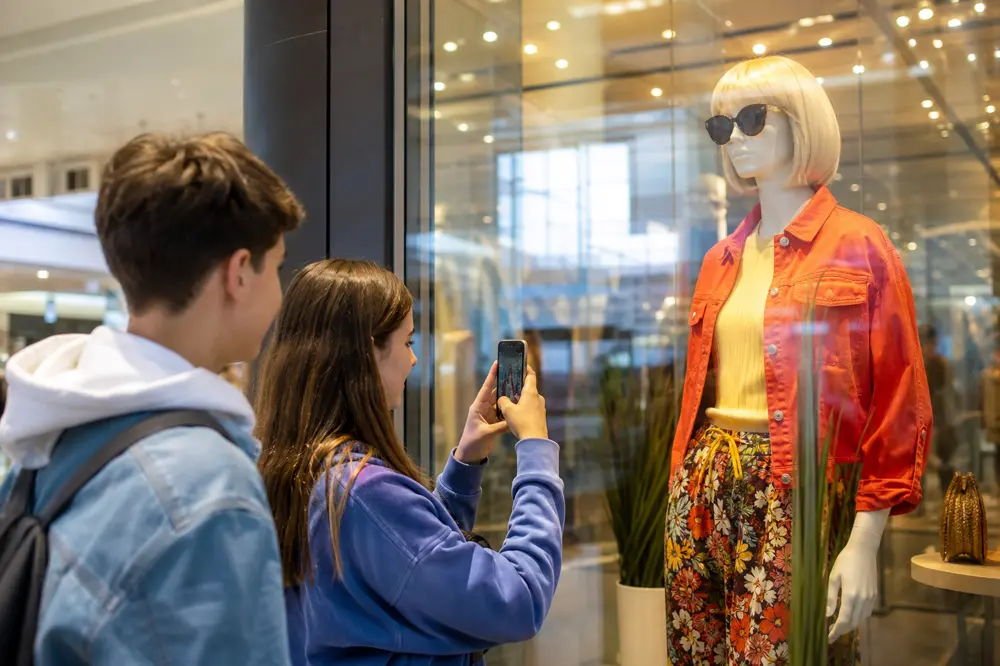
- A mannequin wearing sunglasses.
- A couch in a store.
- A pair of boots.
- A tie-dye shirt.
- A sparkly dress.
- A t-shirt with a famous character on it.
- Something with animal print.
- Shoes with lights or wheels.
- A plushie or stuffed animal.
- A unicorn (toy, shirt, or display).
- A skateboard.
- A ring in a jewelry case.
- Chocolate on a shelf.
- A price tag under $5.
- A price tag that says $9.99.
- Christmas-themed decor, even out of season if a store still has it.
- A puzzle set.
- A store that sells video games or tech.
- A kiosk selling phone accessories.
Mall landmarks
- A water fountain.
- A bench.
- An elevator.
- A security camera.
- A massage chair.
- A kiddie play area.
- A movie poster or theater marquee.
- A mirror (reflection optional).
- The mall directory map.
- An escalator, photographed from a safe spot beside it.
Photo dares
- Team name written on a napkin in the food court, then thrown out.
- Your group matching a storefront color. One photo.
- A shadow of the group on a shiny floor.
- The funniest store name you can find. Photograph the sign.
- A drink with a straw (buy it or photograph someone else's from a polite distance).
- The finish photo: whole group back at the start directory.
Typed answers, drawings, and tap-to-finish
- Type the name of a store you just walked past. Set the validation prompt to "a store name."
- Type what that wing mostly sells (shoes, phones, food). Set the validation prompt to "a store category."
- Draw the mall logo or a store logo. It does not have to be good.
- Draw a mannequin. Stick figures count.
- Button: I agree to stay inside the mall and with my group.
- Button: I'm back at the start directory.
Extra finds if you need a longer hunt
- A window display with more than one mannequin.
- A food-court tray.
- A restroom sign (from the hallway, not inside).
- A parking-validation or lot sign near the doors.
If you only have 30 minutes, use 12. If you have a full afternoon, start from Mall Hunt and add a drawing or rules button. Put 41 in the first section so the rest unlocks after people agree.
Birthday groups can steal dares from how to plan the perfect birthday scavenger hunt. Team outings can peek at team building scavenger hunt ideas. Bachelorette nights should use the bachelorette scavenger hunt list instead of forcing mall tasks into that vibe.
How to Use Seeker Hunts at the Mall
Malls are loud. Crowds and glass reflections are why a paper list is a bad tool.
Photo + text description covers products, signs, and shapes. Keep it to one object. "Sale sign" beats a paragraph.
Image match is for a specific fountain, mural, or directory board. Shoot the reference from where players will stand.
Location check pins the meetup.
AI text match is for a typed answer. You write what a good answer looks like ("a store category"). They type bookstore. The AI decides if it counts.
Drawing is a fun extra, not the whole hunt.
Button is the tap that means they showed up or they read the rules.
Sections keep later tasks hidden until the first section is done.
Hosts see submissions as they come in and can override the AI. Players only need a phone browser.
Pro Tips
- Start from the Mall Hunt template if you want people playing in under five minutes.
- Walk the loop at the same time of day you will hunt. Weekend crowds change what you can photograph.
- Write the boundary into the hunt. A button in the first section beats a speech by the doors.
- One object per photo. If you want five sale signs, that is five tasks.
- Do not require purchases. Price-tag photos keep the hunt free, which matches the "no cash needed" photo-hunt style Great Wolf describes.
- Keep groups to 3–5 so stores do not get a pile-up in one doorway.
- Skip staff quizzes. Photograph signs and products instead.
- Use late join. Mall groups arrive in waves. They can scan the QR after you start.
- Override instead of arguing when a photo is clearly the right mannequin.
- End at a food-court table so people can sit while scores lock.
FAQ
Q: How do you make a mall scavenger hunt?
A: Walk the mall, write 12–30 finds, set edges and a time limit, then run it from a phone. Or host the Mall Hunt template and skip the writing. Seeker checks submissions. Paper works for one small group.
Q: What should be on the list?
A: Everyday mall stuff: a sale sign, a mannequin, a fountain, a bench. Skip anything that needs a purchase or bothers staff. Keep photos to one object.
Q: Is it ok for kids?
A: Yes, with adults, a buddy rule, and a hard boundary (this wing, not the parking deck). Indoor-only is easier. Parent guides stress no running and quiet voices for the same reason.
Q: Can a large group do this?
A: Self-serve rooms go up to 50. The first 3 active players are free. Split into small walking groups. Bigger than 50 is custom. Contact Seeker.
Q: Do we need an app?
A: No. Players join at seekr.it in a phone browser.
Q: What if someone uses an old photo?
A: Seeker tries to prevent reused camera-roll photos. Location check still helps prove they were in that mall.
Q: Can we start from a template?
A: Yes. Host Mall Hunt, then edit tasks if you want.
Q: Why a mall instead of a park?
A: Weather, lighting, flat floors, and bathrooms. The CDC's mall-walking guidance is aimed at exercise, but those same features make a photo hunt easy to finish.
Q: Scavenger hunt or treasure hunt?
A: Use this list for a scavenger hunt. A treasure hunt is a trail of clues and a prize.
Ready to Hit the Mall?
You do not need a special venue. You need a mall loop, a simple list, and a meet-back spot. Host the template, share the code, and let the stores do the rest.
Start with the Mall Hunt template, or build your own on Seeker Hunts. No app download. Players join at seekr.it. You host from the browser.