
40+ School Scavenger Hunt Ideas: Classroom Games, Hallway Finds & PE Fun
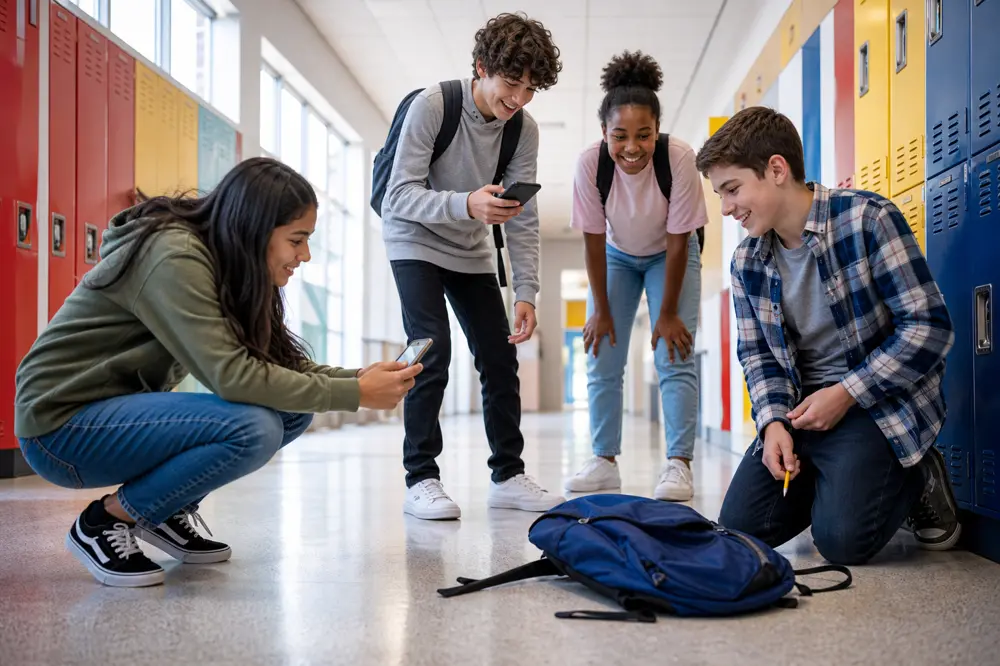
Discover 40+ school scavenger hunt ideas for classrooms, hallways, and PE, plus step-by-step hosting with Seeker Hunts. Mix simple photo finds with a typed answer, a drawing, and a tap-to-finish check-in. No app. Players join at seekr.it.
40+ School Scavenger Hunt Ideas: Classroom Games, Hallway Finds & PE Fun
A quiet classroom is fine until you need everyone moving without turning the hour into a lecture. A school scavenger hunt does that: find a backpack, snap a picture, doodle the mascot, then race the next find down a hallway you already walk every day.
In this guide, you'll get 40+ school scavenger hunt ideas for classrooms, hallways, the library, the cafeteria, and PE, plus two ready Seeker templates you can host as-is. You run it from a phone browser. No app download.
What Is a School Scavenger Hunt?
A school scavenger hunt is a timed list of finds around a classroom or campus. Players look for everyday objects, take a photo, type a short answer, or tap a button when they arrive somewhere. That is different from a treasure hunt, which is usually a trail of hidden clues and a prize at the end. A scavenger hunt is a list. A treasure hunt is a trail.
Paper lists get lost in backpacks. A phone hunt keeps the list, the photos, and the leaderboard in one place, which is why it works for a single class or a bigger group in the gym.
Typical format
Duration: 15–30 minutes in one classroom, 30–45 if you open the hallway
Area: your room, a marked hallway loop, the library, or the gym. You set the edges.
Group size: pairs or groups of 3–5, or one shared phone per group
Goal: find things, stay in bounds, leave other classes alone
If you want a first-week icebreaker, use the back-to-school scavenger hunt post. If you are on a college campus, use college campus scavenger hunt ideas instead of this list.
Why School Scavenger Hunts Work
The building is already the list
Lockers, backpacks, cafeteria signs, and gym lines do not need to be hidden. You are sending people to look at rooms they already use.
One list can mix ages
Younger kids hunt colors and objects. Older students do photo dares and typed answers. Put both on the same hunt so mixed groups are not waiting on a separate "kids" version.
It stays a game
Keep finds simple and physical. A photo of a pencil is a hunt. A worksheet of five vocabulary words is homework with extra steps.
It scales without a stack of clipboards
A class of 24 or a gym of 40 can run the same list. Split into small groups, share one code, and watch the live leaderboard instead of chasing teams down the hall.
How to Run a School Scavenger Hunt
Step 1: Walk the route first
Note which hallways are off limits, which classrooms are in use, and where you want everyone to finish. Pick a start (your door, the gym line, the library desk) and an edge (no further than that stairwell). Indoor-only is easier to supervise.
Step 2: Say the rules out loud
Stay with your group. No running.
Do not go into other classrooms unless that teacher said yes.
Photograph objects. Do not take other people's stuff.
Phones stay on the hunt. No posting other students' faces without a plan for that.
End on time even if the list is unfinished.
Step 3: Keep each find simple
One object per photo. "A backpack" works. "Five school supplies in one frame" is a stretch for the AI that checks the picture. Same for spelling SCHOOL with five items in one shot. If you want more supplies, make them separate tasks.
Not everything has to be a photo. A typed answer, a drawing, or a tap-to-finish button keeps it from feeling like a camera checklist.
Step 4: Build it in Seeker Hunts, or start from a template
Create the hunt at seekerhunts.com, or host one of these two ready lists:
School hunt: backpack, cafeteria, pencil, desk, book, chair, art supplies, paper, math, computer. Simple classroom objects. Good for a 15-minute indoor hunt.
Back to School: backpacks, lunchboxes, pens, notebooks, markers, calculators, first-day shoes. Built for a supply hunt. If you copy it, keep photo tasks to one object. Skip stacking several items in one picture.
For each custom task, pick the type that matches the find:
Photo + text description for generic finds ("pencil," "locker"). Keep it to one thing.
Photo + image match for a specific mural, mascot painting, or office sign.
Location check for the gym, the library desk, or the start classroom.
AI text match when you want a typed answer. You write a validation prompt ("a school subject"); they type math or history and the AI decides if it counts.
Drawing for a couple of extras, like sketch the mascot. A few is plenty.
Button for "I know the fire-drill meeting spot" or "I'm back at our classroom."
Sections group tasks. Put the rules buttons in the first section, then lock the hallway finds in a second section so that list stays hidden until everyone has agreed. Even one section is enough.
Save each task and Test it in the actual hallway with your own phone before you start. Seeker also tries to block reused camera-roll photos, so players need a shot from the hunt.
Step 5: Invite people and start
Click Host Hunt. Players open a phone browser at seekr.it, enter the code or scan the QR, and pick a name. No app, no player account. Start from the waiting room, watch the leaderboard, and override the AI if a clearly correct photo gets rejected. End the hunt so scores lock.
Self-serve hunts go up to 50 participants. The first 3 active players are free. For a bigger school-wide event, contact Seeker. Time Trial (groups starting at different times) is custom. Contact Seeker if you need that.
46 School Scavenger Hunt Ideas
Mix easy photos with a few typed answers, one drawing, and a couple of tap-to-finish tasks. Classroom finds and hallway dares can live on the same list.
Classroom finds (one object each)
- A backpack.
- A pencil.
- A desk.
- A chair.
- A book.
- A piece of paper.
- A marker or crayon.
- A computer or tablet.
- A calculator.
- An eraser.
- A ruler.
- A notebook.
- A glue stick.
- Something yellow on a desk.
Hallway and campus
- A locker.
- A water fountain.
- A numbered classroom door.
- The office sign.
- A trophy or display case.
- A fire-exit sign.
- The school mascot on a wall or banner.
- A clock in the hallway.
- A hallway bulletin board.
- The cafeteria sign or serving line, from a polite distance.
Library, cafeteria, and PE
- A library book with a funny cover.
- A globe or a wall map.
- A lunch tray.
- A milk carton.
- Something you could eat that is not a sandwich.
- A basketball or playground ball.
- Painted lines on the gym floor or blacktop.
- The gym bleachers.
- A jump rope.
- Gym shoes you would wear on PE day (ask before you photograph someone else's).
Photo dares
- Team name written on a whiteboard, then erased.
- A shadow of the group in the hallway.
- The most colorful locker you can find. One locker.
- Your reflection in something shiny (a locker, a trophy case, a window).
- A selfie holding your favorite pen. Faces only if your school is fine with that.
- The finish photo: whole group back at the start classroom.
Typed answers, drawings, and tap-to-finish
- Type the mascot's name. Set the validation prompt to "a mascot or animal."
- Type one class you have today. Set the validation prompt to "a school subject." Math, English, and PE should pass.
- Draw the mascot. It does not have to be good.
- Draw your lunch.
- Button: I know where we meet for a fire drill.
- Button: I will stay with my group and stay inside the marked area.
If you only have 15 minutes, use 10. If you have a full period, use more and split into groups of 3–5. Put 45 and 46 in the first section so the rest of the hunt unlocks after people agree.
Start faster with the School hunt template or the Back to School template, then swap in a drawing or a rules button if you want.
How to Use Seeker Hunts at School
Hallways are noisy. Bells, other classes, and a moving group are why a paper list is a bad tool.
Photo + text description covers supplies, signs, and shapes. Keep it to one object. "Backpack" beats a paragraph, and it beats "five supplies in one photo."
Image match is for a specific mural, mascot painting, or office plaque. Shoot the reference from where players will stand.
Location check pins the gym, the library, or your classroom.
AI text match is for a typed answer. You write what a good answer looks like ("a school subject"). They type science. The AI decides if it counts.
Drawing is a fun extra, not the whole hunt. One mascot sketch is enough.
Button is the tap that means they showed up or they read the rules.
Sections keep later tasks hidden until the first section is done. Rules buttons first, hallway finds second.
Hosts see submissions as they come in, tap a player for stats, and can mark a task complete if the AI is being picky. Players only need a phone browser.
More on building tasks: Creating a custom scavenger hunt with Seeker and Creating scavenger hunt tasks by simple descriptions. Hosting flow: How to host a scavenger hunt with Seeker Hunts.
Pro Tips
- Stay inside one loop. A classroom plus the nearest hallway is enough. Whole-campus hunts need extra adults.
- Start after the bell, not during passing. You do not want a hunt in a packed corridor.
- Write the boundary into the hunt. A button task ("I will stay with my group") in the first section works better than a speech nobody hears.
- One object per photo. If you want five supplies, that is five tasks, not one crowded frame.
- Test three tasks in the actual hallway. Locker photos look different than you think.
- Do not block doorways. Finds should be things you can photograph without a pile-up.
- Give younger kids object tasks and older kids the typed and photo-dare tasks on the same hunt so nobody is bored.
- Use late join. Groups straggle in after lunch. They can scan the QR after you start.
- Override instead of arguing when a photo is obviously the right backpack.
- End the hunt on purpose so you can be back in seats before the next bell.
FAQ
Q: How do you make a school scavenger hunt?
A: Walk the route, write 10–30 finds, set edges and a time limit, then run it from a phone. Most of the list can be photos. Add a typed answer, a drawing, or a rules button if you want. Seeker hosts the list and checks submissions. Paper works for one small group in one room.
Q: What should be on the list?
A: Everyday objects students already see: a backpack, a pencil, a locker, a cafeteria sign. Skip anything in another teacher's room. Keep photos to one object. A couple of typed or drawing tasks is plenty.
Q: Is it ok for younger kids?
A: Yes, with an adult, a buddy rule, and a hard boundary (this hallway, not the parking lot). Indoor-only is easier.
Q: Can a large group do this?
A: Self-serve rooms go up to 50. The first 3 active players are free. Split into small groups so you are not a crowd at one locker. Bigger than 50 is custom. Contact Seeker.
Q: Do we need an app?
A: No. Players join at seekr.it in a phone browser.
Q: What if someone uses an old photo?
A: Seeker tries to prevent reused camera-roll photos. Location check still helps prove they were in that hallway.
Q: Classroom only, or the whole school?
A: Start in one room. Open a hallway loop if you have enough adults. Whole-school hunts are a different event.
Q: First week of school?
A: Yes. For a first-week list and a ready-to-play option, see Back-to-School Scavenger Hunt Ideas.
Q: Can I start from a template?
A: Yes. Host the School hunt or Back to School template, then edit tasks if you want.
Ready to Run It?
You do not need a special venue. You need a classroom, a simple list, and a hallway nobody blocks. Build the tasks, share the code, and let the building do the rest.
Start your school scavenger hunt with Seeker Hunts. No app download. Players join at seekr.it. You host from the browser.